(Day 48) Task : Setting Up AWS IAM and CLI Access !
As I continue building my Student-hub Cloud Platform on AWS, Phase 2 focused on something every cloud engineer needs to understand: identity, access, and secure interaction with AWS services.
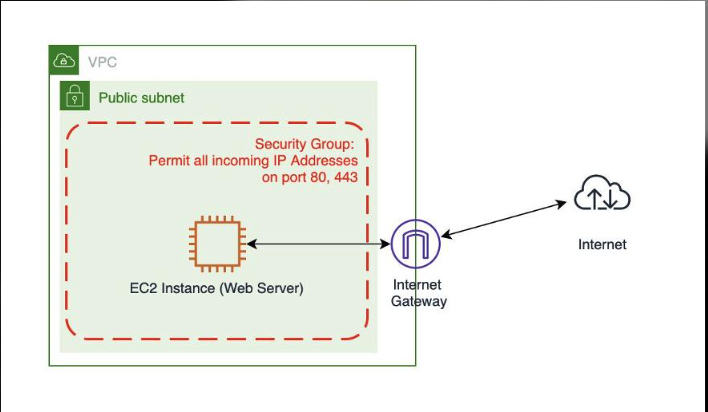
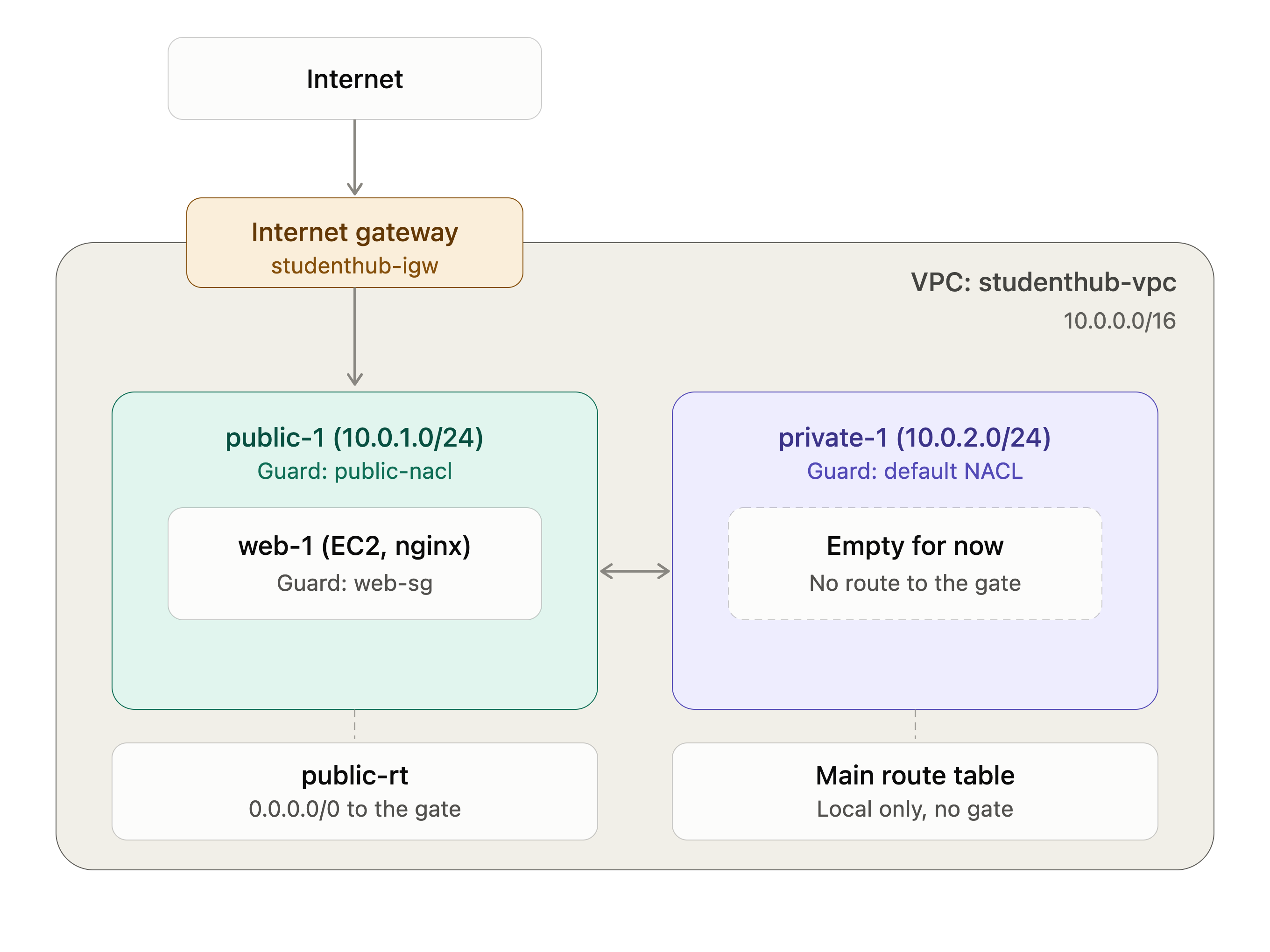
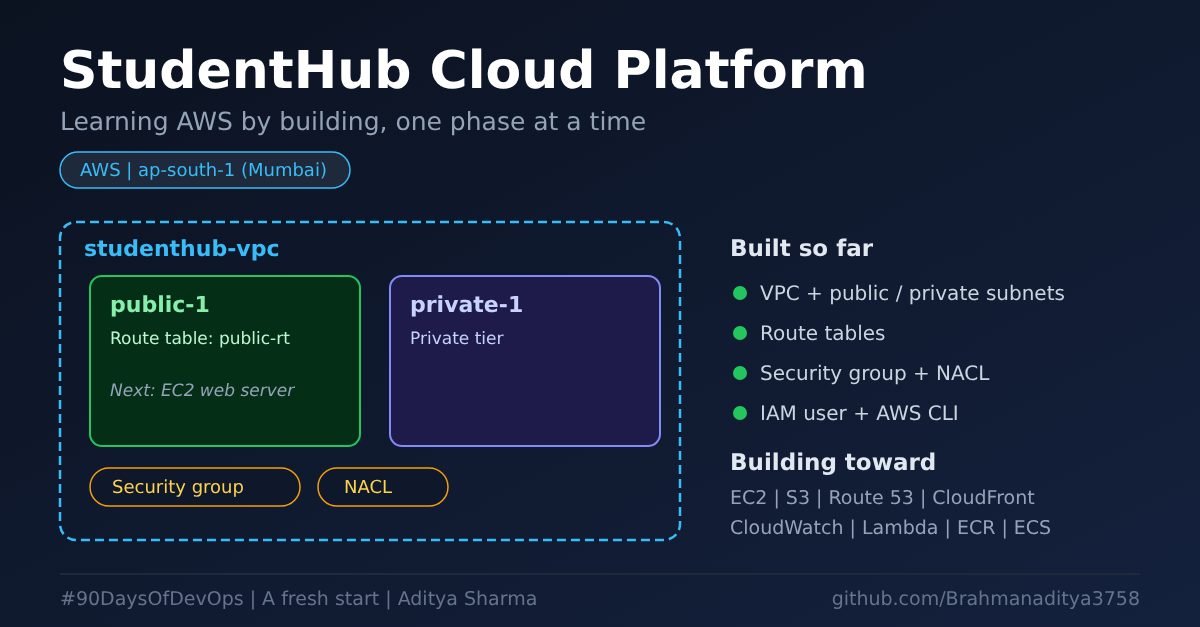
In Phase 1, I created the basic network infrastructure, including a VPC, subnets, an Internet Gateway, and route tables. In this phase, I focused on setting up an IAM user and configuring the AWS CLI so I could interact with AWS from my terminal.
What I Built :-
For this phase, I completed three main tasks:
Created an IAM user named studenthub-use.
Configured the AWS CLI with the ap-south-1 region (Mumbai).
Verified the active AWS identity using the Security Token Service (STS).
Setting Up an IAM User
Instead of using the AWS root account for everyday activities, I created a separate IAM user for my project work.
AWS Identity and Access Management (IAM) helps control who can access AWS resources and what actions they can perform.
One important thing I learned is that creating an IAM user does not automatically grant it permission to access every AWS service. Access depends on the permissions associated with that identity.
This is an important step toward following the principle of least privilege: granting only the permissions required for a task.
Configuring the AWS CLI
The AWS Command Line Interface (CLI) allows me to interact with AWS services directly from the terminal instead of relying entirely on the AWS Management Console.
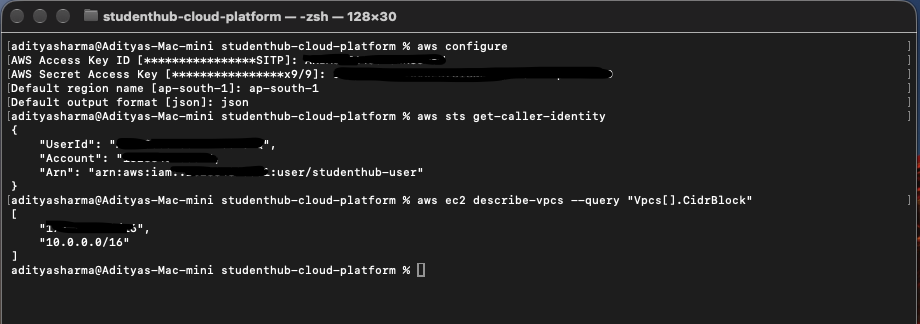
I configured the CLI with my AWS credentials and selected ap-south-1 as the default region.
This will help me manage project resources from the terminal as I continue building StudentHub.
Verifying My AWS Identity
After configuring the CLI, I ran the following command:
aws sts get-caller-identity
This command returns information about the AWS identity being used for the request, including the AWS account ID, user ID, and Amazon Resource Name (ARN).
It helped me verify that my CLI was successfully authenticating with AWS using the intended identity.
You can learn more about this command in the official AWS CLI documentation.
Key Learnings
While completing this phase, I learned a few important concepts:
IAM is global: IAM users and policies are not restricted to a single AWS region.
The CLI simplifies cloud management: I can use commands to inspect and manage resources without relying only on the console.
Credentials must be protected: Access keys are sensitive credentials used for programmatic access. They should never be committed to GitHub or shared publicly.
Permissions matter: An IAM username does not determine access; the permissions granted to that identity do.
Verification is important: Running aws sts get-caller-identity helps confirm which identity is making AWS API requests.
Frequently Asked Questions (FAQs)
1. What is AWS IAM?
AWS Identity and Access Management (IAM) is a service that helps manage access to AWS resources by controlling identities, permissions, and policies.
2. Why did I create an IAM user instead of using the root account?
I created a separate IAM user for daily project activities to avoid using the root account for routine tasks and to support better access management.
3. What is the AWS CLI?
The AWS Command Line Interface (CLI) is a tool that allows users to interact with AWS services through commands in a terminal.
4. Why did I configure the AWS CLI with the ap-south-1 region?
I selected ap-south-1, which is the AWS Mumbai region, as my default region for working with regional resources in this project.
5. Is AWS IAM a regional service?
No. IAM is a global AWS service. However, many other AWS resources, such as EC2 instances and VPCs, are regional.
6. What does aws sts get-caller-identity do?
This command displays details about the AWS identity currently making the request, including the account ID, user ID, and ARN. It helps verify which identity the CLI is using.
7. Does creating an IAM user automatically grant access to AWS services?
No. The user's access depends on the permissions granted through applicable IAM policies and other authorization controls.
8. What are AWS access keys?
Access keys consist of an access key ID and a secret access key. They can authenticate programmatic requests to AWS and must be protected like sensitive credentials.
9. Should AWS access keys be uploaded to GitHub?
No. Access keys and secret keys should never be committed to a public repository. Use secure credential storage and follow AWS security best practices.
10. What is the next phase of the StudentHub Cloud Platform project?
The next phase focuses on provisioning compute resources with Amazon EC2 and exploring how the application infrastructure can be built on top of the network and access setup.
Final takeaway: This phase helped me understand how to establish programmatic access to AWS, verify my identity, and apply basic security practices before moving forward with cloud infrastructure development.
#AWS #CloudComputing #IAM #AWSCLI #CloudEngineering #DevOps #100DaysOfCloud
About the author
- DevOps Enthusiast | Python | Chef | Docker | GitHub | Linux | Shell Scripting | CI/CD & Cloud Learner | AWS
Comments
Join the discussionNo comments yet. Be the first to comment.