(Day 49) Task : Launching an EC2 Web Server !
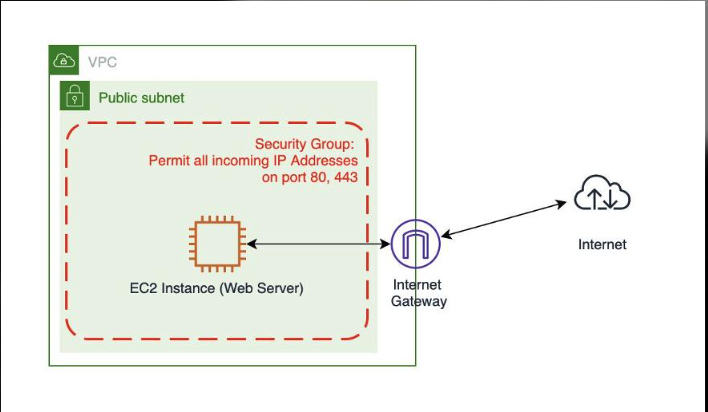
I launched an Ubuntu server with Nginx inside my own VPC. My first SSH attempt failed, and the cause was one wrong rule.
Tags: AWS, ec2, DevOps, cloud, nginx, beginners
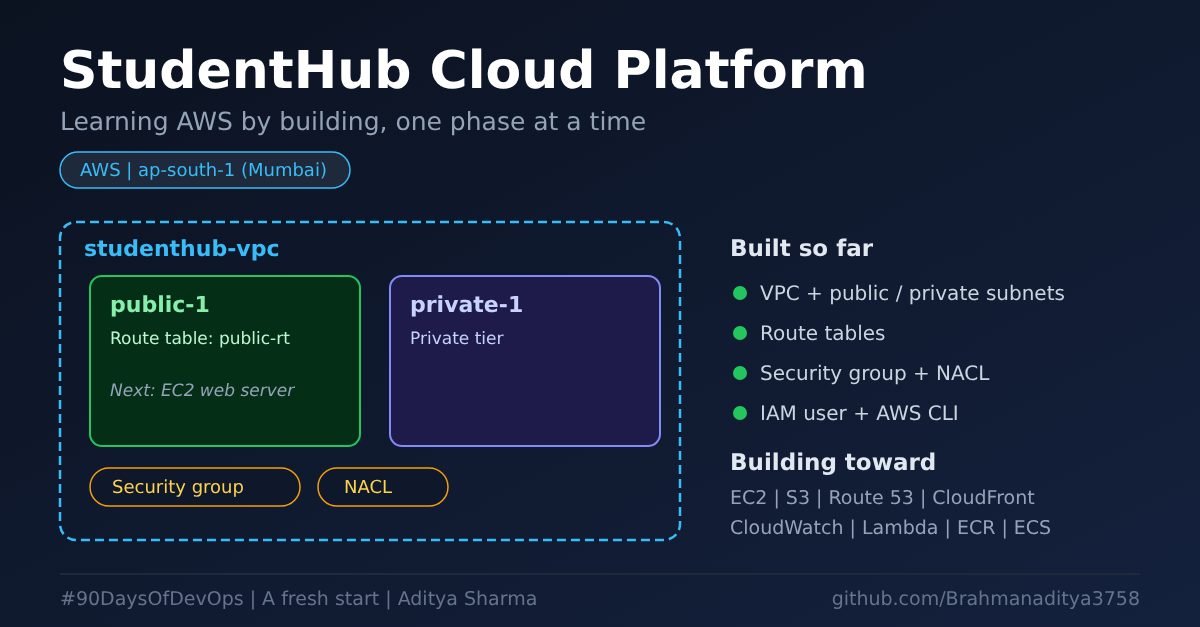
This is Phase 3 of my StudentHub Cloud Platform series on AWS.
What I built
- An Ubuntu 24.04 EC2 instance (
t2.micro) instudenthub-vpc, inside the public subnetpublic-1 - A public IP, so the server can be reached from the internet
- The IAM role
ec2-roleattached to the server, so no access keys are stored on it - Nginx serving my own StudentHub page
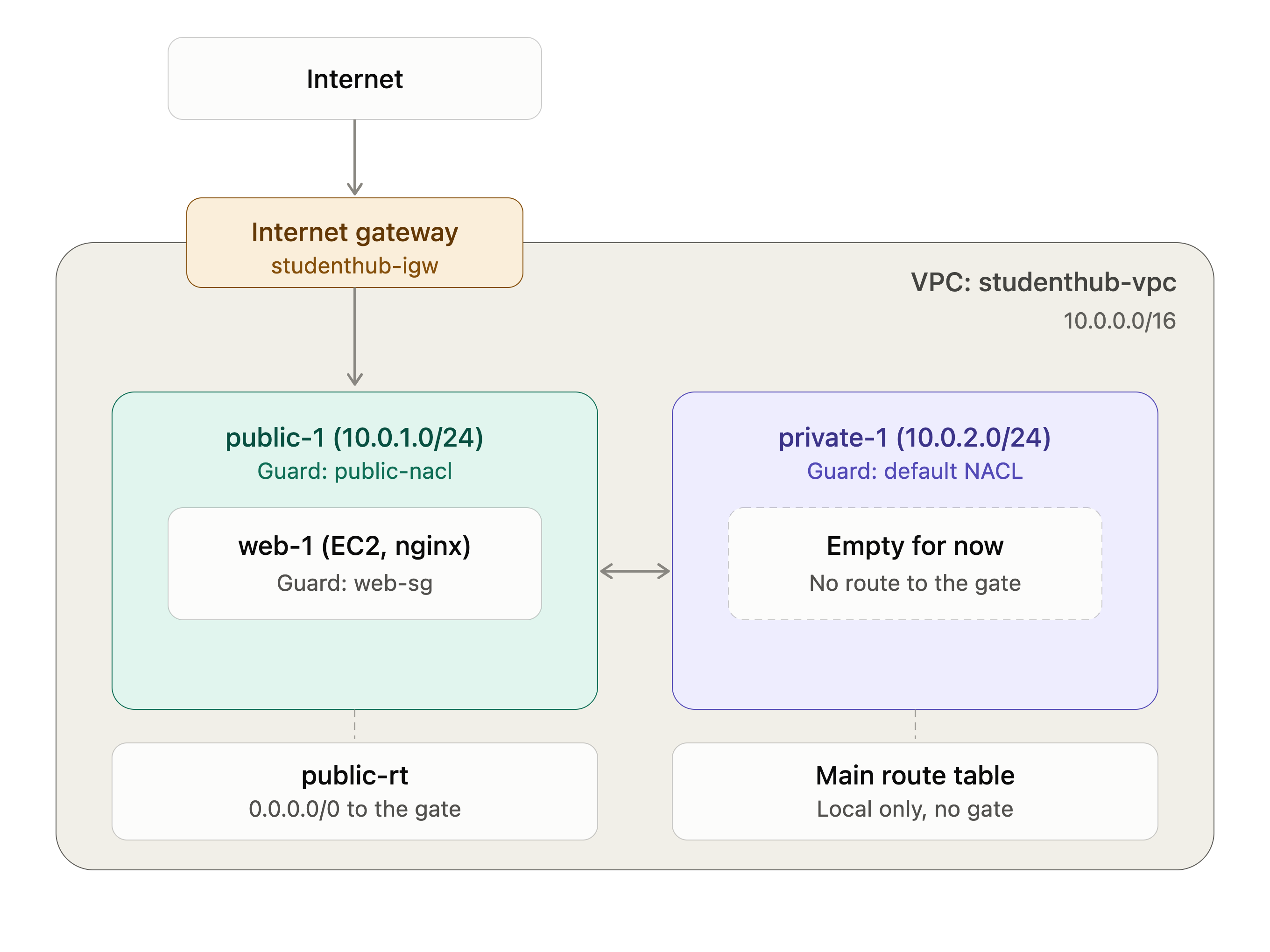
Why a public subnet?
A web server that browsers must reach goes in a public subnet. A subnet is public when its route table has a route to the Internet Gateway (0.0.0.0/0 -> igw-...).
The instance also needs a public IPv4 address. The subnet gives the route, and the public IP is the address the internet uses to find the server. Without it, nobody can reach the server. A private subnet is for things that should not face the internet, like databases.
Launching the instance
- Region: ap-south-1 (Mumbai), then EC2 > Launch instance
- Name:
studenthub-web-1, AMI Ubuntu Server 24.04 LTS, typet2.micro - Create a key pair (RSA,
.pem) - Network:
studenthub-vpc, subnetpublic-1, auto-assign public IP: enable - Security group: SSH (22) from my IP only, HTTP (80)
- Advanced details: IAM instance profile
ec2-role
I did all of this as an IAM user, not root. Root is the master key of the account, so I keep it locked and use a limited user for daily work.
Connecting with SSH
sudo apt update
chmod 400 studenthub-key.pem
ssh -i studenthub-key.pem ubuntu@<PUBLIC_IP>
chmod 400 makes the key readable only by me. SSH refuses a private key that other users can read.
The problem: Operation timed out
ssh: connect to host <PUBLIC_IP> port 22: Operation timed out
The error message tells you where to look:
| Error | Meaning |
|---|---|
Operation timed out |
Traffic is blocked on the way (network layers) |
Permission denied (publickey) |
I reached the server, but the key or user is wrong |
Connection refused |
I reached the server, but the service is not running |
A timeout means my traffic never reached the server. So I checked each layer, from outside to inside:
- Instance: Running, with a public IPv4 address. Fine.
- Route table of
public-1:0.0.0.0/0 -> igw-...was there. Fine. - Security group: SSH was allowed from my current IP. Fine.
- NACL: the SSH rule had a different IP. This was the problem.
My home internet IP had changed. I had fixed the security group, but the NACL still had my old IP, so it blocked me before the security group even saw the traffic.
The fix
I changed the NACL inbound SSH rule to my current IP. A NACL needs CIDR format, so I typed x.x.x.x/32. The console rejected a plain IP without /32.
After that, SSH worked and I saw the prompt ubuntu@ip-10-0-1-150:~$.
Security group vs NACL
| Security group | NACL | |
|---|---|---|
| Works at | Server level | Subnet level |
| State | Stateful | Stateless |
| Rules | Allow only | Allow and deny |
The NACL is stateless, so it also needs a rule for reply traffic (outbound TCP 1024-65535). Both layers must allow my traffic. When my home IP changes, I must update both places.
Installing Nginx
sudo apt update
sudo apt install nginx -y
sudo systemctl status nginx     # expect: active (running)
curl -I localhost               # expect: HTTP/1.1 200 OK
I test curl -I localhost first, from inside the server. If it works there, any later problem is in the network, not in Nginx.
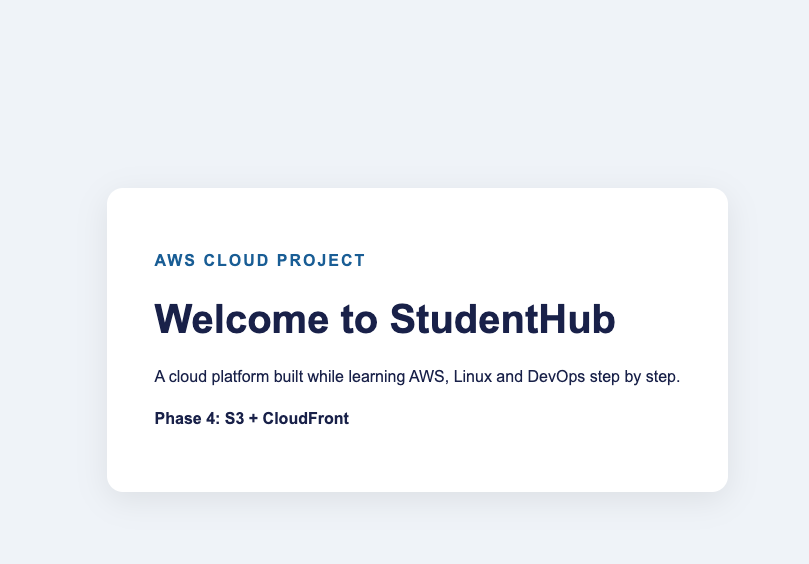
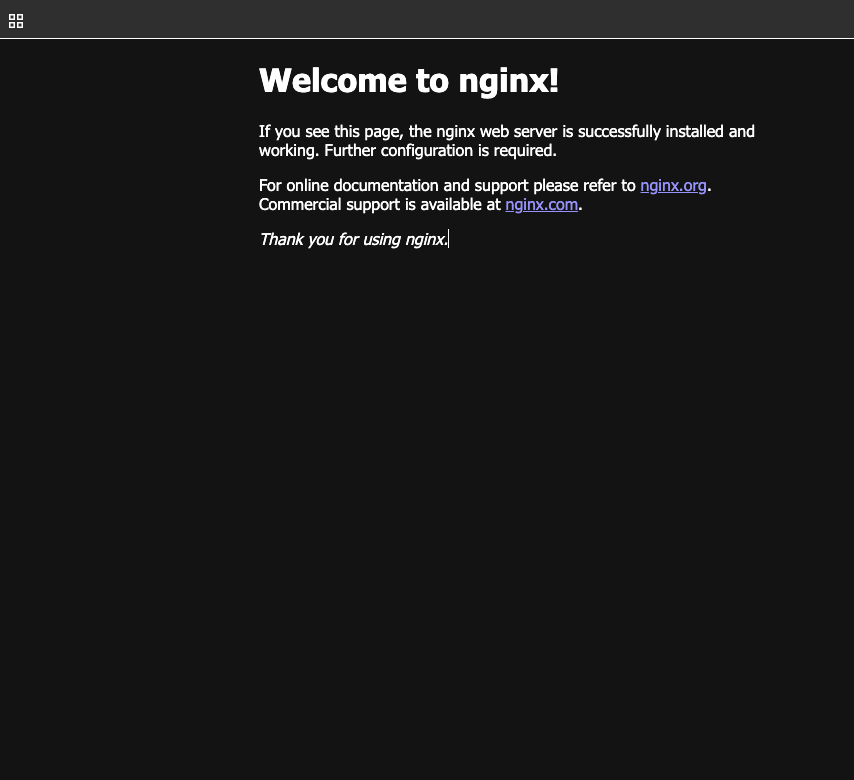
Then I opened http://<PUBLIC_IP> in the browser and saw the default "Welcome to nginx!" page.
Adding my own page
cd /var/www/html
sudo touch studenthub.html
sudo vim studenthub.html        # press i, paste the HTML, Esc, then :wq
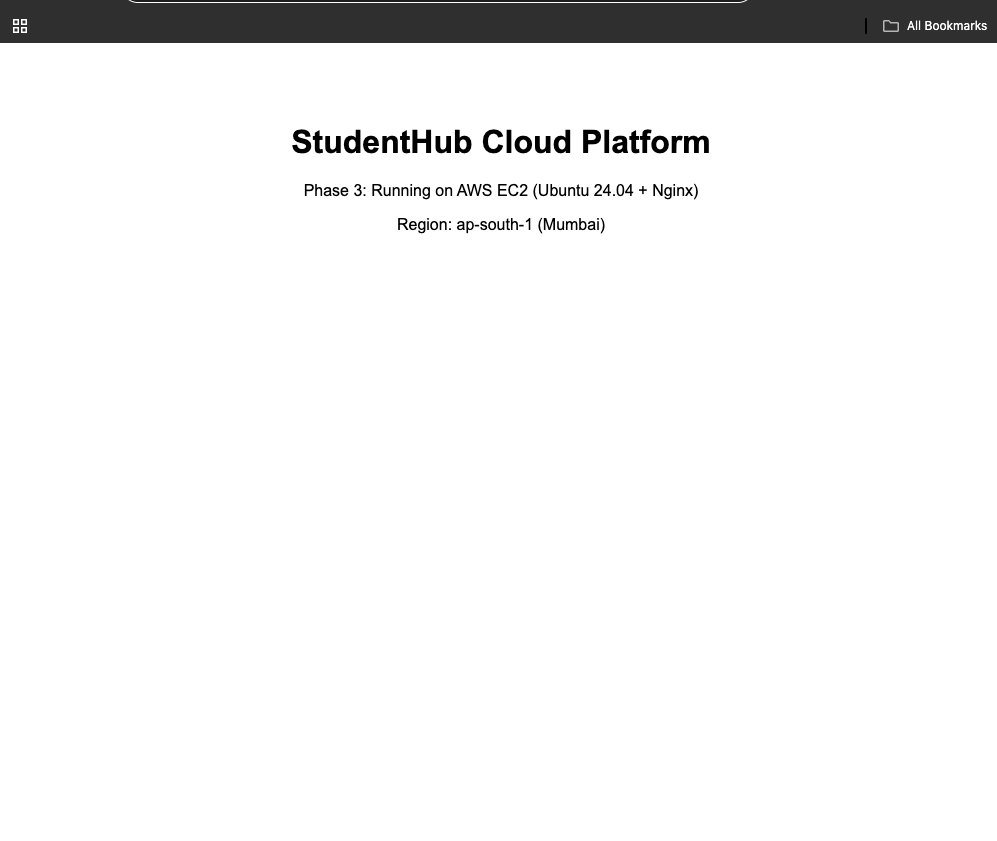
sudo mv studenthub.html index.html
Nginx serves index.html first, so renaming the file makes it the main page.
My checklist for "timed out"
- Is the instance Running, with a public IPv4 address?
- Does the subnet's route table have
0.0.0.0/0 -> igw-...? - NACL: inbound SSH from my IP, outbound TCP 1024-65535?
- Security group: inbound port 22 from my current IP?
- What is my current IP? (
curl -4 -s ifconfig.me)
I now check my own IP first, because it is the cheapest check and the most common cause on home internet.
What I learned
- A public subnet gives the route, but the instance also needs a public IP.
- Security group and NACL are different layers, and both must allow my traffic.
- A NACL is stateless, so it needs rules in both directions.
- An IAM role is safer than storing access keys on the server.
- Keep the
.pemkey private and never upload it to GitHub. - Test on
localhostfirst to separate server problems from network problems.
Cost note
t2.micro runs on Free Tier credits, but a public IPv4 address is charged per hour. I stop the instance when I am not using it, and I will terminate it and delete the key pair when the project is finished.
FAQs
1. What is Amazon EC2?
Amazon Elastic Compute Cloud (EC2) provides virtual servers in AWS that can run applications, websites, and other workloads. In this project, I used an Ubuntu 24.04 EC2 instance to host my StudentHub web page.
2. Why did I launch my EC2 instance in a public subnet?
I wanted to access the web server over the internet. The public subnet's route table directs internet-bound traffic to an Internet Gateway, and the instance needs a public IPv4 address for direct internet connectivity.
3. Why did my first SSH connection time out?
My Network ACL (NACL) had an SSH rule configured with an outdated IP address. Even though my security group allowed SSH from my current IP, the NACL blocked the connection. Updating the NACL rule to the correct IP in CIDR format (x.x.x.x/32) resolved the issue.
4. What is the difference between a security group and a NACL?
A security group operates at the network-interface level and is stateful, meaning return traffic for an allowed connection is automatically permitted. A NACL operates at the subnet level and is stateless, so inbound and outbound traffic must be allowed by its rules.
5. Why do I use /32 when allowing my IP address?
The /32 CIDR notation represents a single IPv4 address. For example, 203.0.113.10/32 identifies exactly one IP address. This lets me restrict SSH access to my current public IP rather than opening port 22 to everyone.
6. What is Nginx, and why did I install it?
Nginx is a web server that can serve static websites and act as a reverse proxy. I installed it on Ubuntu to serve my StudentHub page and verified the service locally using curl -I localhost.
7. Why did I test Nginx using localhost first?
Testing with curl -I localhost helps confirm whether Nginx is responding on the server itself. If the local test succeeds but the website is inaccessible externally, I can investigate the network configuration, security group, NACL, and routing.
8. Why did I attach an IAM role to the EC2 instance?
The ec2-role instance profile allows the server to obtain temporary AWS credentials for authorized AWS API operations. This avoids storing long-term AWS access keys on the server. The role should follow the principle of least privilege.
9. Why must I keep my .pem key private?
The private key is used to authenticate my SSH connection. I set restrictive permissions with chmod 400 and never upload the key to GitHub or share it publicly.
10. Does stopping an EC2 instance eliminate all costs?
No. Stopping an instance generally stops its running-instance compute charges, but attached EBS storage can continue to incur charges. Public IPv4 addresses and other associated resources may also incur charges, depending on their state and configuration.
11. What did I learn from this EC2 project?
I learned how to launch an Ubuntu EC2 instance inside my own VPC, configure public connectivity, troubleshoot an SSH timeout caused by an incorrect NACL rule, install Nginx, and serve a custom StudentHub web page.
12. What comes next in the StudentHub Cloud Platform series?
I will continue with the planned AWS phases, progressively adding storage, container services, monitoring, automation, and other cloud infrastructure components.
About the author
- DevOps Enthusiast | Python | Chef | Docker | GitHub | Linux | Shell Scripting | CI/CD & Cloud Learner | AWS
Comments
Join the discussionNo comments yet. Be the first to comment.