(Day 50) Task : Hosting StudentHub on Amazon S3 and CloudFront with HTTPS !
Introduction
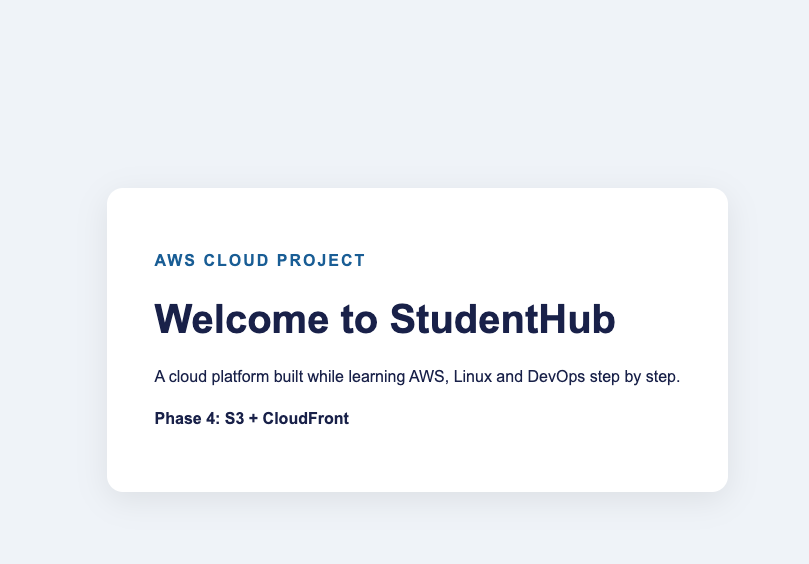
In Phase 4 of my StudentHub Cloud Platform project, I deployed a static website using Amazon S3 and Amazon CloudFront.
After learning AWS networking, IAM, AWS CLI, and deploying an Ubuntu server with Nginx in the previous phases, I wanted to understand how static websites can be hosted securely and delivered efficiently using AWS managed services.
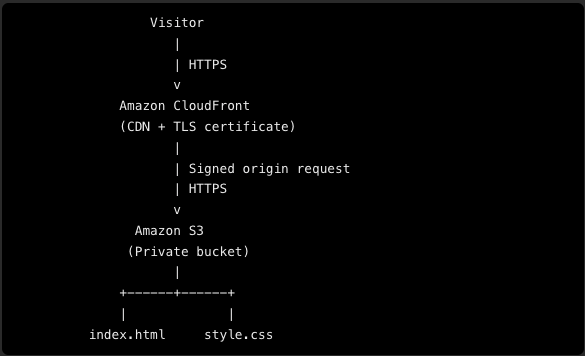
Instead of making my S3 bucket publicly accessible, I configured CloudFront to access a private S3 bucket using Origin Access Control (OAC).
In this article, I'll explain the architecture, the configuration process, and what I learned about HTTPS, SSL/TLS certificates, and secure access to S3.
What I built
I deployed my StudentHub website using the following AWS services:
- Amazon S3: Stores the website's HTML and CSS files.
- Amazon CloudFront: Delivers the website to visitors through a content delivery network (CDN).
- Origin Access Control (OAC): Allows CloudFront to access the private S3 origin securely.
- HTTPS: Encrypts the connection between the visitor's browser and CloudFront.
The website uses an existing index.html file and its corresponding style.css file.
Step 1: Created an Amazon S3 bucket
I created a general-purpose S3 bucket in the Asia Pacific (Mumbai) region (ap-south-1).
For security, I kept Block Public Access enabled and used the recommended bucket ownership settings with ACLs disabled.
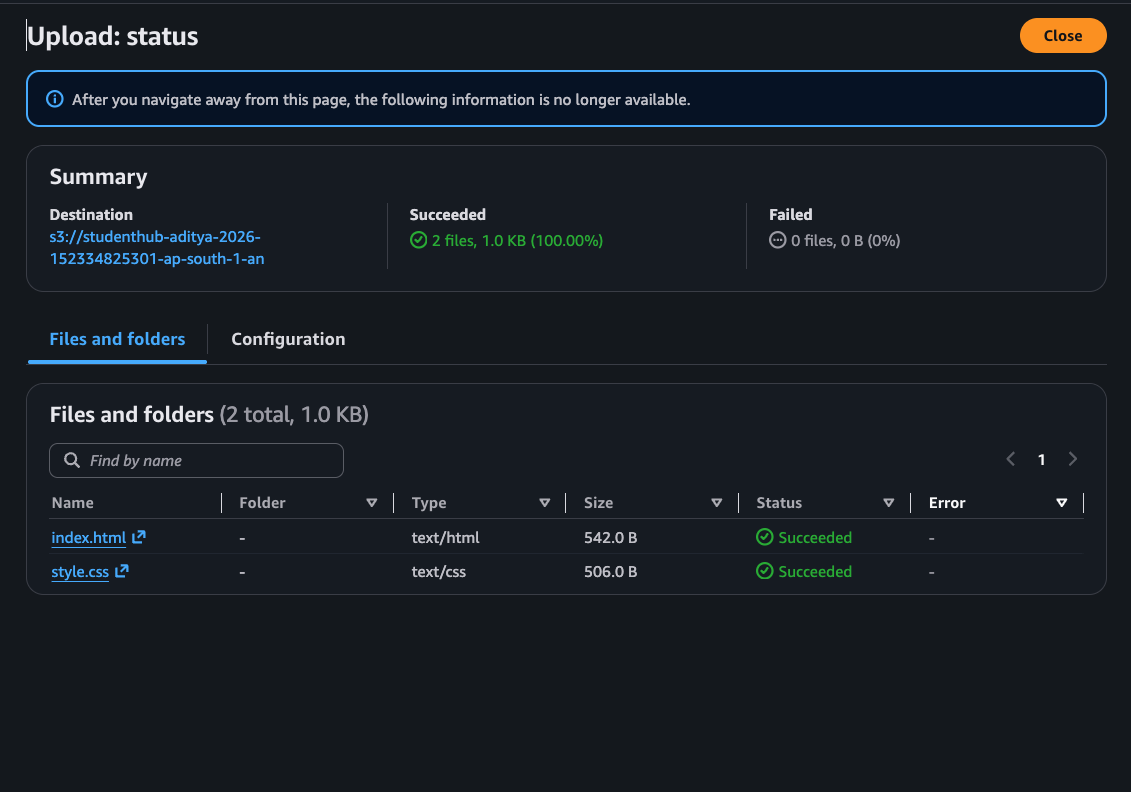
I then uploaded the two website files to the root of the bucket:
index.html
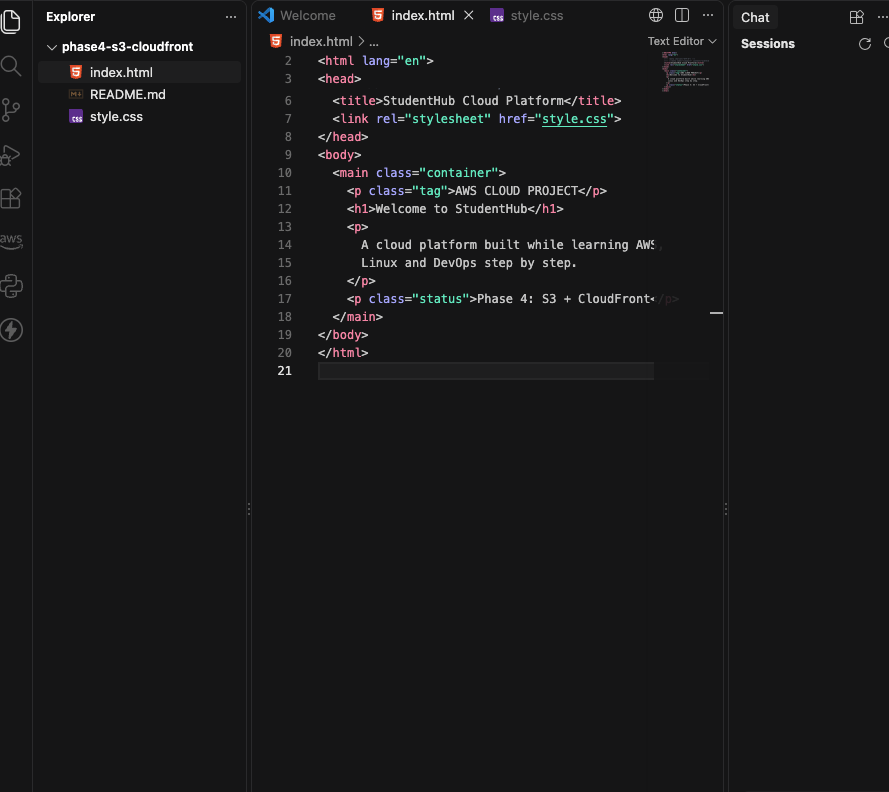
style.css
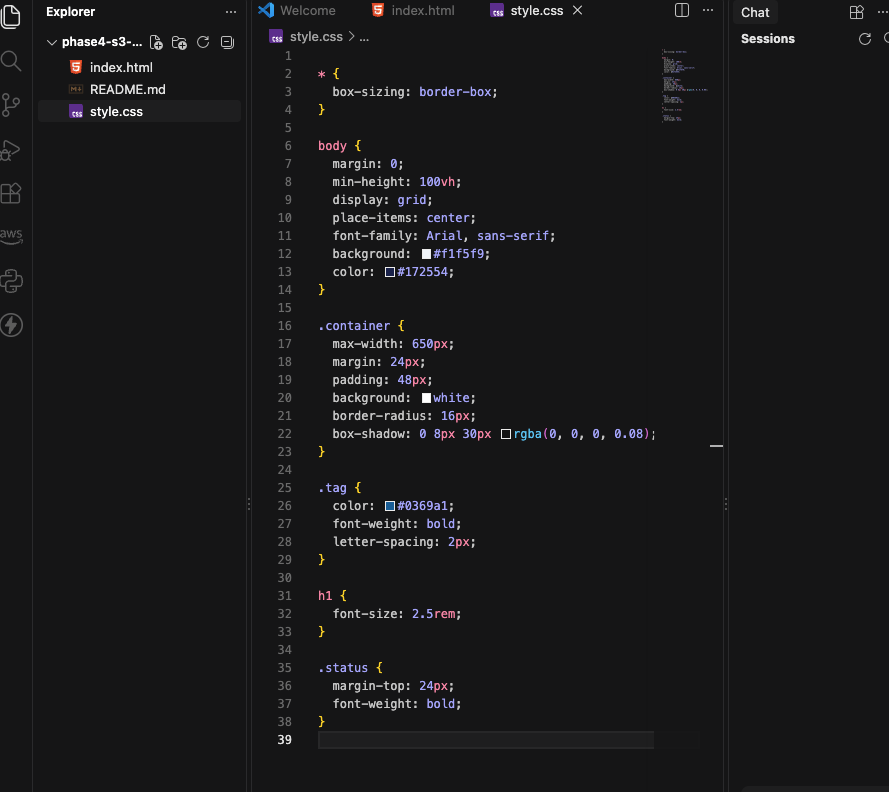
The README.md remains in the GitHub repository for project documentation and is not needed to serve the website.
Keeping the bucket private prevents anonymous users from directly accessing the objects unless another permission explicitly grants that access.
Step 2: Created a CloudFront distribution
Next, I created an Amazon CloudFront distribution and selected my S3 bucket as the origin.
I used the regular S3 bucket origin rather than the S3 static website endpoint. This distinction is important because the regular S3 origin supports Origin Access Control.
I configured CloudFront to use the recommended origin and caching settings for S3 content.
I also enabled the option that allows CloudFront to access the private S3 bucket.
Step 3: Configured Origin Access Control (OAC)
Origin Access Control (OAC) is a CloudFront feature that helps secure access to an S3 origin.
Without this configuration, I would need to make the website objects publicly readable or configure another supported access mechanism.
With OAC, CloudFront signs its requests to S3, and the S3 bucket policy authorizes the intended CloudFront distribution to read the objects.
This lets me keep the bucket private while still serving the website publicly through CloudFront.
I used the recommended private-bucket access configuration and allowed the AWS console to manage the required bucket policy.
Step 4: Configured HTTPS and the default root object
I configured the CloudFront distribution to use index.html as the default root object.
This means visitors can open the distribution's main URL without adding /index.html to the end.
I also used CloudFront's default distribution domain and its HTTPS support.
My deployed distribution domain is:
CloudFront provides a default SSL/TLS certificate for its assigned domain, so I did not need to purchase or configure a separate certificate for this URL.
For a custom domain, a certificate and additional domain configuration would be required.
Understanding SSL, TLS, and HTTPS
These terms are related, but they do not mean exactly the same thing.
- SSL (Secure Sockets Layer): An older protocol for securing network communication. It is deprecated and should not be used for modern deployments.
- TLS (Transport Layer Security): The modern protocol used to secure connections. It provides encryption, integrity, and authentication.
- HTTPS (Hypertext Transfer Protocol Secure): HTTP communication protected using TLS.
When a browser opens my CloudFront URL over HTTPS, TLS helps protect the connection between the browser and CloudFront.
CloudFront also communicates securely with the regular S3 origin when configured with the recommended OAC signing behavior.
How does CloudFront provide HTTPS when S3 static website hosting does not?
The S3 static website endpoint supports HTTP, not HTTPS directly.
CloudFront provides an HTTPS endpoint and handles the TLS connection with the visitor's browser. It can then retrieve website objects from the regular S3 origin over HTTPS.
This is one reason I selected the regular S3 origin rather than the S3 website endpoint.
Step 5: Tested the deployment
After the distribution was created, I waited for it to finish deploying and tested the CloudFront URL.
The checks for this deployment were:
- The website opens through the CloudFront domain using HTTPS.
- The homepage loads from
index.html. - The CSS from
style.cssis applied correctly. - The S3 bucket remains private.
- Direct anonymous access to S3 objects is denied, while CloudFront can retrieve them.
This helped me understand how storage, content delivery, encryption, and access control work together in AWS.
Frequently Asked Questions (FAQs)
- What is Amazon S3, and why did you use it for this project?
Amazon S3 is an object storage service. I used it to store the static website files, including index.html and style.css. It provides durable storage without requiring me to maintain a web server for these static assets.
- What is Amazon CloudFront?
Amazon CloudFront is a content delivery network (CDN). It caches and delivers content through a global network of edge locations, which can reduce latency for visitors and reduce repeated requests to the origin.
- Can Amazon S3 host a website without CloudFront?
Yes. S3 supports static website hosting. However, its static website endpoint does not directly support HTTPS. CloudFront adds an HTTPS endpoint, CDN capabilities, and the ability to keep a regular S3 origin private using OAC.
- Why did you keep Block Public Access enabled?
I wanted the website to be publicly viewable through CloudFront without making the S3 objects publicly accessible. Keeping Block Public Access enabled helps prevent accidental public access while CloudFront is authorized through the bucket policy.
- What is Origin Access Control (OAC)?
OAC is a CloudFront feature that signs requests sent to supported origins such as Amazon S3. With the appropriate bucket policy, it allows a CloudFront distribution to read objects from a private S3 bucket without granting anonymous public access to those objects.
- What is the difference between OAC and making an S3 bucket public?
A public bucket can allow anyone on the internet to retrieve objects covered by its public permissions. With OAC, CloudFront is authorized to retrieve objects from the private bucket, while direct anonymous access can remain denied.
- What is the difference between SSL and TLS?
SSL is the older, deprecated security protocol. TLS is its modern successor and is used to secure HTTPS connections. Although people often say “SSL certificate,” modern HTTPS connections use TLS.
- What is an SSL/TLS certificate?
An SSL/TLS certificate binds a domain name to a public key and provides information used to authenticate the server. During a TLS handshake, the browser validates the certificate and establishes an encrypted connection with the server.
- How does CloudFront provide HTTPS?
CloudFront uses an SSL/TLS certificate to authenticate its domain and establish an encrypted connection with the visitor's browser. For its default cloudfront.net domain, AWS provides the certificate automatically.
- Do I need to purchase an SSL/TLS certificate for my CloudFront URL?
No. The default CloudFront domain comes with an AWS-managed certificate. If you want to use a custom domain, you need to configure that domain and associate an appropriate certificate with the distribution.
- What is the difference between HTTP and HTTPS?
HTTP sends requests without TLS encryption. HTTPS uses TLS to encrypt the connection and help protect data in transit, while also allowing the browser to authenticate the server using its certificate.
- Does HTTPS mean that my S3 bucket is private?
No. HTTPS protects data in transit; it does not automatically control who can access an object. Bucket policies, Block Public Access, and OAC are separate access-control mechanisms. In this project, I use both HTTPS and a private S3 bucket.
- What is the default root object in CloudFront?
The default root object tells CloudFront which object to return when a visitor requests the distribution's root URL. I configured it as index.html, without a leading slash.
- Why did you use the regular S3 origin instead of the S3 website endpoint?
The regular S3 origin supports OAC and secure origin communication. An S3 website endpoint is treated as a custom origin and does not support OAC; it also does not support HTTPS directly.
- What happens if CloudFront returns a 403 Forbidden error?
Possible causes include a missing or incorrect bucket policy, an OAC configuration problem, missing objects, or an incorrect object path. I would verify the origin, distribution-specific S3 permissions, OAC signing configuration, and file names before considering any changes to public access.
- What happens if I update my HTML or CSS after deployment?
I can upload the updated file to S3. CloudFront may continue serving a cached copy until it expires or is invalidated. If necessary, I can create an invalidation for /index.html or /style.css to request fresh content.
- Is CloudFront free?
CloudFront has a free offering, but the available allowances and billing terms depend on the current AWS plan and account. S3 storage and requests can also incur charges. I should monitor AWS billing and usage rather than assume every part of the deployment is always free.
About the author
- DevOps Enthusiast | Python | Chef | Docker | GitHub | Linux | Shell Scripting | CI/CD & Cloud Learner | AWS
Comments
Join the discussionNo comments yet. Be the first to comment.